It’s Week 2 of the 30-day phone challenge and things are going well. Or at least as well as can be expected. Every day the tasks get harder and more uncomfortable. But, I am already noticing a difference, so overall it’s been worth it so far.
To see what happened in week 1 you can click here, or to read about why I’m putting myself through all this in the first place have a read of this.
Day 8: Say no to notifications
Today’s the day to turn off notifications. Price explains how notifications affect our brains, triggering a chemical reaction that ruins our concentration. I can’t say I disagree, and I can attest to having experienced ‘phantom’ notifications before, as 80% of others have according to a study.
So, all notifications are now off, except for phone calls, my calendar and messaging apps. My email notifications are going off too, so I will now have to manually check them and/or use my desktop. No more annoying red bubbles every time I look at my phone! I’m surprised at how much calmer I feel already.

I’m also logging into social media sites to change my email notification settings to put them on minimum too.
Another thing, which isn’t in the book but has been really useful for me is customising desktop notifications too. For mac, you need to click the apple logo, then system preferences, and then click notifications. Here you can fully customise what kind of notifications you get per application. Most importantly for me, I’ve turned off sound notifications for my emails, as I felt that little ping of a new email was a constant distraction! This can be done by going to Mail; Preferences; General and then the third bar down you can switch the ‘New Messages sound’ to None.
Day 9: The Life-Changing Magic of Tidying Apps
Today’s about personalising our home screens. The apps are to be sorted based on two criteria: their potential to steal your attention and their potential to improve your daily life.
So, there should be up to six categories of apps:
- Tools: anything that performs a task that doesn’t risk you getting sucked into a black hole.
- Junk Food apps: these are the fun ones, that can be hard to stop using. They can be useful and life-improving, but there is a risk you get sucked in. This requires balancing up the two criteria and making a judgement call.
- Slot Machine Apps: There’s some overlap with the second category here, but these are the apps that both steal your attention and don’t improve your daily life. Delete them.
- Clutter: the apps you never actually use. I’m deleting any of these.
- Utility apps: serve a practical purpose but don’t improve your daily life enough to be a ‘tool’. I’ll keep these in a folder tucked away.
- The Undeletables: Some apps you simply aren’t able to delete, annoyingly. So they’ll be hidden away as much as possible.
For today, I’m going through these categories, setting up lots of folders and customising the menu bar. If this is still tempting, Price suggests switching your phone’s display from colour to grayscale.
I’m feeling the effects of yesterday’s changes though. I keep reaching my phone to check for notifications and finding nothing. It’s a super weird feeling.

Day 10: Change Where You Charge It
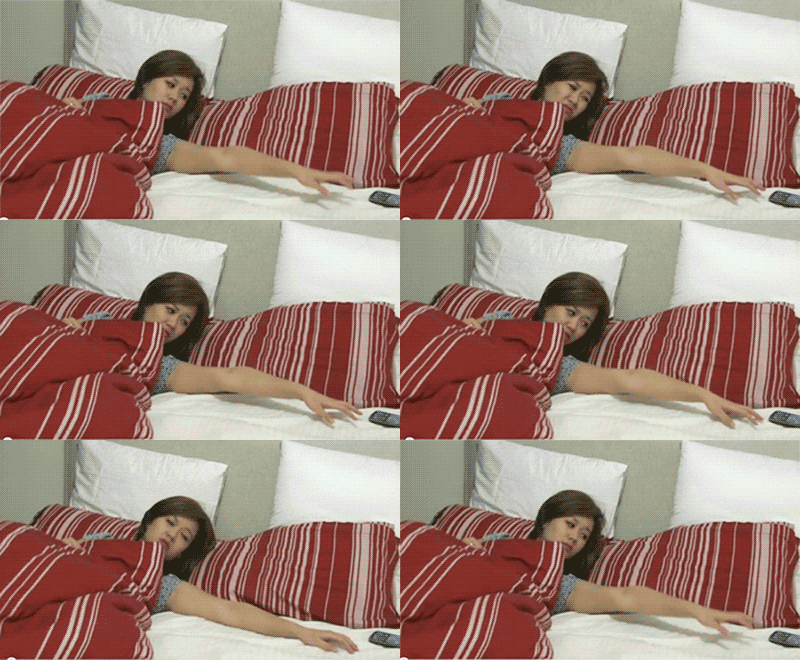
I have a bedroom problem. Most of us do, in fact. The problem is having our phones in the bedroom, according to Price, and so today’s task is to ‘rehome’ it to the living room. I’ve now moved the charger out of the bedroom, so the phone will no longer ‘live’ there. This should hopefully subconsciously help make the bedroom a more relaxing area.
As for not having the phone in the bedroom at night, that’s a tricky one. I like to have it near, in case of emergencies. Being of the generation who doesn’t have a ‘house phone’, and living alone, I don’t want to be too far away from a means of communication. So all notifications will be off, and it shall be put on the ‘do not disturb’ feature at night. This feature allows for designated VIP callers, such as my parents, to get through should there be an actual emergency. But everyone else will have to wait until morning. Because everything is a lot less urgent than we’ve grown to think it is. That email can wait.
Day 11: Set Yourself Up For Success
Now it is time to set up for transitioning from a negative goal (using the phone less) to a positive one and living up to our intentions. After deleting Twitter, instead of habitually checking it every morning, I am instead reaching for a book.
Price gives lots of useful suggestions for changes that you can make to your environment. By being aware of what your brain is actually after when it reaches for your phone, we can then identify the rewards.
Day 12: Download an App-Blocker
This is one task I’ve decided not to do. Mainly because I can’t find an app-blocker I like (any suggestions are welcome though!). But also, because I don’t feel I need any stricter restrictions. So far, things have been going well, and I’d be happy ending the challenge as I am. So, to keep these changes sustainable, I’m not going to introduce an app-blocker at this stage. Sorry, not sorry, Price.

Day 13: Set Boundaries
- Establish No-Phone Zones
I’ve decided that when I’m around other people, such as hanging out with friends, I shall have a No-Phone policy. I shall keep it on vibrate, in case of emergencies, but won’t have it out visibly. This will help me stay less distracted and more engaged in conversations, as well as coming across friendlier too.
- Give Your Phone A Wake-Up Time
No-Phone zones can also be based on time. So I shall try a ‘no phone after 10pm’ rule from tonight. I shall also change my ‘do not disturb’ settings so that my phone only ‘wakes up’ from 9am, so as to encourage me to be more present in the mornings.
Day 14: Stop Phubbing
Phubbing is short for ‘phone snubbing’. According to Price, that means snubbing other things or people in favour of your phone. For example, having your phone on the table during a meal, or checking it during conversations with friends. As she says, they’re so common we don’t even notice them anymore. But I still get a flicker of irritation when someone checks their phone when I’m with them, so now I shall turn the tables, and set the rule for myself. This whole week has been about setting us up for today: no more phubbing.